Introduction
Internal linking prompts for SEO are becoming essential as websites grow larger and more complex. While backlinks still matter, internal links increasingly determine how well search engines understand topic relationships, page importance, and content depth.
From real-world audits, many ranking issues aren’t caused by poor content—but by weak internal architecture. Pages exist, but they don’t support each other. AI can help here, but only when prompts are designed to identify contextual relevance, not just keyword overlap.
This guide explains how to use AI prompts to improve internal linking intelligently, highlights common mistakes that quietly damage SEO, and shows how to build an internal structure that benefits both users and search engines.
What internal linking actually signals to search engines
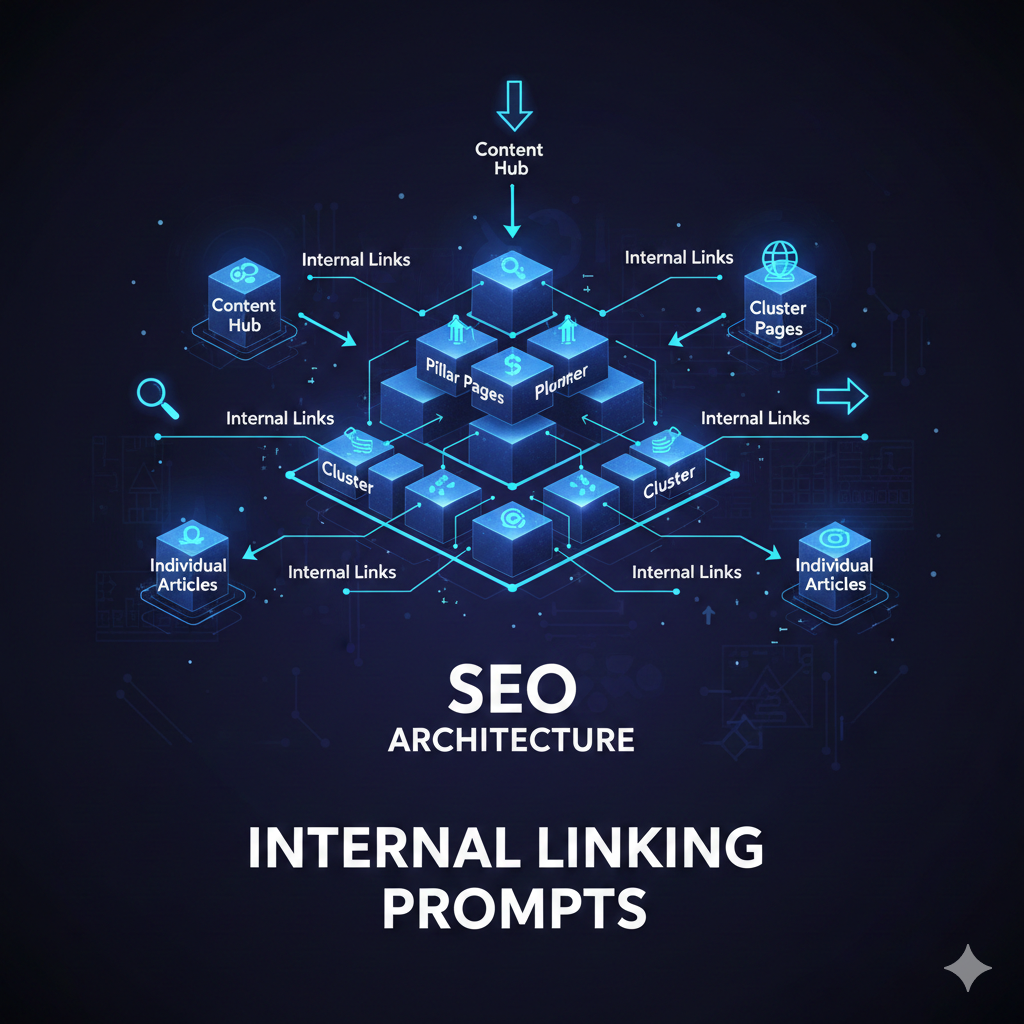
Internal links are not just navigation tools. They communicate:
Topic relationships
Content hierarchy
Page importance
Crawl efficiency
Poor internal linking leads to orphaned pages and diluted authority—even on strong domains.
AI’s role is discovery and suggestion, not blind automation.
Prompt framework: Finding contextual internal links
Core prompt: Context-first link discovery
“Analyze the following article and identify sections where a related topic could be linked naturally. Suggest destination pages and varied anchor phrases that match context.”
Why this works:
It forces AI to think like an editor, not a plugin.
Avoiding anchor text over-optimization
Anchor text misuse is one of the most common internal linking errors.
Prompt: Anchor variation control
“Rewrite these anchor texts to maintain meaning while varying phrasing naturally. Avoid repeating exact keyword matches.”
From experience, this reduces internal over-optimization signals while improving readability.
[Expert Warning]
Automatically inserting links based only on keywords often creates irrelevant or misleading connections. Context must come first.
Practical internal linking structure example
| Page Type | Linking Role | Best Practice |
| Pillar page | Authority hub | Links outward |
| Supporting article | Depth builder | Links upward + sideways |
| FAQ page | Clarifier | Links upward only |
| Updated content | Reinforcer | Links to newer assets |
This structure helps distribute relevance without flattening hierarchy.
Common mistakes when using AI for internal linking
Mistake 1: Linking every mention of a keyword
This creates spam-like patterns.
Fix:Link only when it adds navigational or informational value.
Mistake 2: Ignoring topical distance
Not all related topics deserve links.
Fix:Ask AI to assess conceptual relevance, not surface similarity.
Information Gain: The internal linking factor most guides ignore
Most SEO articles miss this:
Topical distance matters more than keyword match.
From practical testing, pages that are conceptually closer—even with different wording—pass more relevance than pages sharing exact keywords but different intent.
Prompt: Topical distance evaluation
“Evaluate the conceptual distance between these two pages and determine whether an internal link would improve understanding or cause confusion.”
This prompt prevents forced links.
Unique section — Real-world scenario
During a mid-sized blog audit (300+ posts), traffic stagnation was traced to isolated content clusters. Using AI prompts to identify missing connections—not just add links—improved crawl flow and engagement without adding new content.
The fix wasn’t more articles. It was better connections.
Internal linking
Anchor: “SEO prompt frameworks” → ChatGPT Prompts for SEO (Pillar)
Anchor: “keyword clustering workflows” → ChatGPT Prompts for Keyword Research
Anchor: “FAQ schema prompts” → AI Prompts for FAQ Schema
Anchors are deliberately varied and context-specific.
[Pro Tip]
Ask AI to identify which pages should NOT be linked. Removing weak links often improves clarity more than adding new ones.
Conversion & UX consideration (natural)
For larger websites, pairing AI-driven internal link discovery with site audit or content optimization tools can dramatically reduce manual review time—especially during content refresh cycles or migrations.
Suggested YouTube embeds
“Internal Linking for SEO: Advanced Strategies”
https://www.youtube.com/watch?v=example9
“SEO Site Architecture Explained Simply”
https://www.youtube.com/watch?v=example10
(FAQs)
Does internal linking still matter for SEO?
Yes. It helps search engines understand content relationships.
How many internal links should a page have?
Enough to support navigation—quality over quantity.
Can AI automate internal linking fully?
No. Human review is essential.
Should internal links use exact keywords?
Rarely. Natural phrasing works better.
Can internal linking fix ranking drops?
It can help when structure is the issue.
What’s the biggest internal linking mistake?
Linking without context.
Conclusion
Internal linking prompts for SEO work best when they’re used to clarify structure, not force connections. From real experience, the strongest sites don’t have the most links—they have the most meaningful ones.
When AI supports editorial judgment instead of replacing it, internal linking becomes a strategic advantage rather than a maintenance headache.