Introduction
Prompt engineering courses with hands-on projects are where real skill development begins. Watching videos or reading prompt examples can explain concepts, but they rarely prepare learners for real-world use. The moment you apply prompts to messy data, unclear requirements, or inconsistent AI output, theory alone stops working.
From practical experience, the biggest difference between confident prompt users and frustrated beginners is project-based learning. Projects force you to debug prompts, adapt instructions, and work through imperfect results—exactly what happens in real workflows.
This article explains why hands-on prompt engineering courses are more effective, what kinds of projects actually build skill, and how to evaluate whether a course goes beyond surface-level learning.
What “hands-on” really means in prompt engineering
Not all “projects” are equal.
A true hands-on project should require you to:
Write prompts from scratch
Test outputs against real constraints
Refine prompts based on failure
Deliver a usable result (document, workflow, or system)
Simply copying prompts into a playground does not count as hands-on learning.
Types of projects that build real prompt skills
Effective courses usually include projects drawn from real use cases.
| Project Type | Skill Developed | Real-World Value |
| Content structuring | Instruction clarity | Writing & SEO |
| Data labeling | Precision prompting | Research & analytics |
| Workflow automation | Systems thinking | Operations |
| Output evaluation | Prompt debugging | Quality control |
These projects simulate real work—not demos.
Example projects found in strong courses
Project 1: Content brief creation
Learners design prompts to generate structured content briefs, then refine them when AI misses intent.
Project 2: Data interpretation
Using prompts to summarize datasets or reports while avoiding hallucinated insights.
Project 3: Prompt system building
Creating reusable prompt frameworks instead of one-off instructions.
Each project reinforces why prompts fail and how to fix them.
[Expert Warning]
Courses without feedback loops often give a false sense of competence. If no one reviews your prompt logic, improvement is slow.
Why projects accelerate learning faster than lectures
From real-world learning paths, projects work because they:
Reveal prompt weaknesses immediately
Force iteration
Build intuition about AI behavior
Lectures explain concepts. Projects internalize them.
Information Gain: The missing element in most project-based courses
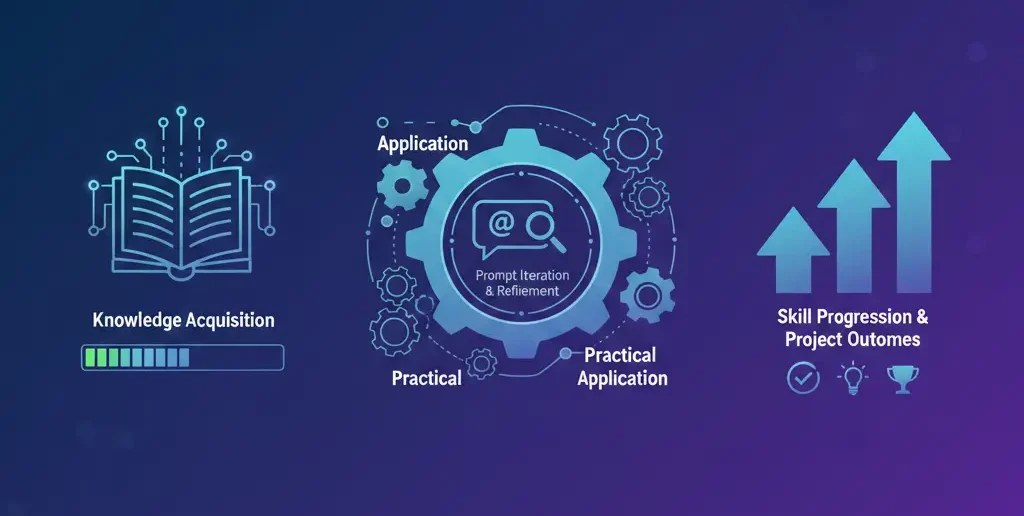
Most courses include projects—but skip post-project reflection.
The real learning happens when students ask:
Why did this prompt fail?
What assumption was wrong?
How could this prompt adapt to another tool?
Courses that encourage reflection produce adaptable prompt engineers—not template users.
Unique section — Practical insight from experience
From mentoring beginners, the most effective learners are those who intentionally break their own prompts. They change constraints, remove context, or alter formats to see what fails.
Courses that encourage experimentation—rather than perfect answers—create stronger long-term skills.
How to evaluate a hands-on prompt engineering course
Before enrolling, look for these signals:
Projects tied to real tasks (SEO, research, automation)
Clear project goals (deliverables, not prompts)
Prompt iteration examples
Feedback or solution walkthroughs
If projects end with “copy this prompt,” learning will plateau.
Beginner mistakes in project-based courses
Mistake 1: Focusing on the final output
Fix: Focus on the prompt evolution.
Mistake 2: Avoiding failure
Fix: Treat poor outputs as data.
Mistake 3: Memorizing instead of adapting
Fix: Apply projects to new contexts.
(FAQs)
Are hands-on projects necessary for learning prompts?
Yes. They build practical understanding.
Do projects require coding skills?
No. Clear thinking matters more.
How long should a project take?
A few hours to several days.
Are project-based courses beginner-friendly?
Yes, if they start simple.
Can projects be reused for portfolios?
Absolutely, with refinement.
What’s better: more projects or deeper projects?
Deeper projects with reflection.
Conclusion
Prompt engineering courses with hands-on projects create transferable skill, not just familiarity. From real-world experience, learners who build, break, and refine prompts adapt faster to new tools and challenges.
If you want prompt engineering skills that last, projects—not prompt lists—are the difference.
Internal link
Prompt Engineering Learning Roadmap (Beginner to Advanced) | AidCanvas-2026
External link
https://www.coursera.org/specializations/prompt-engineering?