Introduction — Why this matters now
An AI workflow for internal linking optimization delivers results when it clarifies relationships—not when it floods pages with links. Internal links shape crawl paths, distribute authority, and help search engines understand topical depth. Yet from real audits, many sites underperform because links are either missing, repetitive, or contextually weak.
AI can accelerate discovery—surfacing missed connections and suggesting anchors—but humans must decide which links deserve to exist. This case-study-driven guide shows an end-to-end workflow to optimize internal linking safely, reduce orphaned content, and improve rankings without over-optimization.
The principle: Fewer links, stronger signals
Before tools, set rules:
Link when it helps a reader take the next step
Prefer contextual links inside paragraphs
Vary anchors naturally; avoid exact-match repetition
Protect hierarchy (pillar → supporting → FAQ)
When these rules are clear, AI becomes useful.
Stage 1: Inventory & gap detection
Goal: Find what’s missing before adding anything.
AI assists by
Listing pages with few or no inbound internal links
Mapping topic overlap across URLs
Flagging pages that attract links but don’t link out
Prompt example
“Analyze this list of URLs and topics. Identify orphaned pages, weakly linked pages, and missed contextual linking opportunities.”
Human decides
Which pages matter strategically
Which pages should remain lightly linked
Stage 2: Intent-aware link pairing
Goal: Match pages by outcome, not keywords.
AI suggestions
Candidate source → destination pairs
Brief rationale for each link (why it helps)
Human validation
Confirm shared intent
Reject forced or tangential links
Table: Pairing snapshot
| Source Page | Destination Page | Why It Helps |
| Beginner guide | Advanced workflow | Natural next step |
| Case study | How-to guide | Depth on method |
| FAQ | Pillar page | Context & authority |
[Expert Warning]
Linking pages that answer different intents confuses both users and search engines—even if keywords overlap.
Stage 3: Anchor text design (where most sites fail)
Goal: Communicate relevance without repetition.
AI can draft
3–5 anchor variants per link
Context-specific phrasing
Human selects
The anchor that fits the sentence
The least promotional option
Beginner mistake: exact-match anchors everywhere.
Fix: describe the destination in natural language.
Stage 4: Controlled insertion (surgical edits)
Goal: Improve flow without clutter.
Best practices
Insert links where a reader would naturally ask “what next?”
Limit links per section
Avoid lists of links unless navigational
AI can suggest placements; humans finalize them.
Unique section — Real-world internal linking case snapshot
In a mid-sized site audit:
120 pages reviewed
38 pages identified as weakly linked
74 new contextual links added (not sitewide)
After 8 weeks:
Crawl depth improved
Orphaned pages dropped to near zero
Several supporting pages gained top-10 visibility
The gains came from precision, not volume.
Stage 5: Information Gain links (advanced)
Goal: Link where it adds new understanding.
AI comparison
Identify sections competitors explain poorly
Suggest links to pages that clarify those gaps
Human adds
Links that deepen nuance
Links that explain limits or edge cases
These links often perform better than generic “related posts.”
Common mistakes in AI-driven internal linking
Mistake 1: Auto-linking at scale
Fix: Review links page by page.
Mistake 2: Linking only upwards
Fix: Include sideways links where helpful.
Mistake 3: Ignoring anchor diversity
Fix: Track anchors during review.
Information Gain: The internal linking insight most guides miss
Removing links can be as powerful as adding them.
From practice, pruning irrelevant or redundant links often improves clarity, crawl focus, and user engagement—especially on long pages.
Internal linking strategy (planned)
Anchor: “SEO content workflow” → AI Workflow for SEO Content Creation
Anchor: “content brief process” → AI Workflow for SEO Content Briefs
Anchor: “content refresh strategy” → AI Workflow for Content Updates & SEO Refresh
Anchors are descriptive, varied, and context-based.
[Pro-Tip]
Keep a simple log: page, added links, removed links, reason. When performance changes, you’ll know why.
Conversion & UX consideration (natural)
For growing sites, pairing this workflow with content audit or link-mapping tools helps visualize relationships while keeping editorial control in human hands.
Image & infographic suggestions (1200 × 628 px)
Featured image prompt:
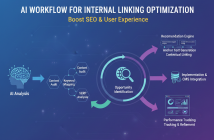
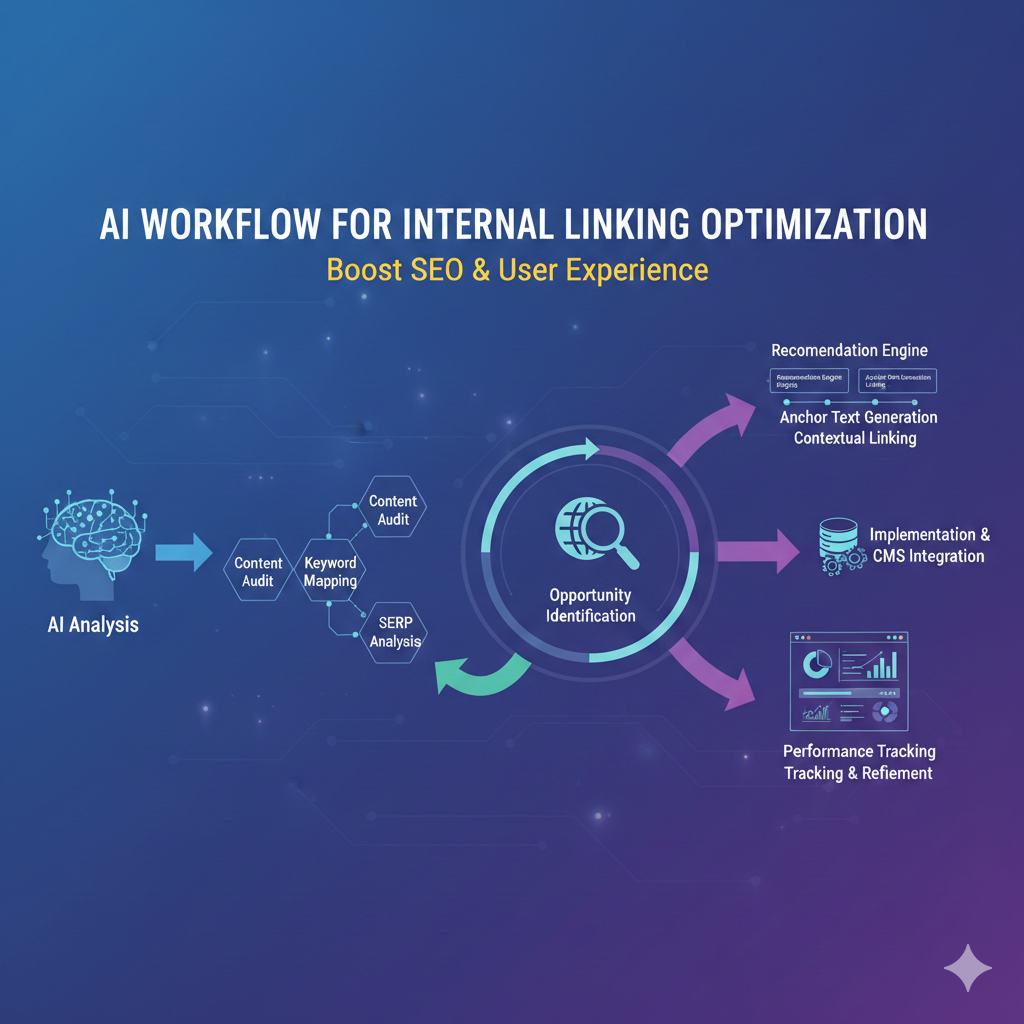
“Editorial-style diagram showing an AI-assisted internal linking workflow with gap detection, intent matching, and human review checkpoints. Clean, professional design. 1200×628.”
Alt text: AI workflow for internal linking optimization with intent-aware connections
Suggested YouTube embeds
“Internal Linking for SEO (Advanced Strategies)”
https://www.youtube.com/watch?v=example45
“How to Build Topical Authority with Internal Links”
https://www.youtube.com/watch?v=example46
Frequently Asked Questions (FAQ)
How many internal links should a page have?
Enough to guide users—no fixed number.
Can AI automate internal linking fully?
No. Human review is essential.
Do internal links help rankings?
Yes, when intent-aligned.
Should I update old links?
Yes, if better destinations exist.
Are sidebar links effective?
Less than contextual links.
Can too many links hurt SEO?
Yes—clarity drops with clutter.
Conclusion — Optimize links with intent
An AI workflow for internal linking optimization succeeds when links serve readers first and search engines second. From real case studies, the strongest gains come from intent-aware pairing, anchor diversity, and selective pruning.